Ajax Updates |

- 10 Awful Animations with JavaScript Framework
- M2MSelector Script
- Expander Plugin with Jquery
- ScrollShow Plugin with Jquery
- Ajax Preload with Jquery
| 10 Awful Animations with JavaScript Framework Posted: 22 Aug 2009 09:13 AM PDT Complex and slick JavaScript-based animation has been made easier with the emergence of frameworks and libraries that give developers the ability to create stunning and eye-grabbing animation and transition effects that make it easy these complex tasks. In this article, you will read about the top 10 JavaScript-based animation frameworks and libraries that will enable you to create engaging and captivating user experiences. 1. $fx $fx is a compact and lightweight JavaScript animation library which extends native JavaScript DOM methods with its own animation methods and functions. Its small file size (weighing in at only 3.7 KB), hassle-free implementation, and low learning curve makes $fx a powerful option for adding eye-popping animation effects to your web projects. Check out the Examples section on the Manuals page to see the library in action. 2. jsAnim Created by web developer Kevin Dolan, jsAnim is a JavaScript animation framework for creating high-impact and slick animation sequences for web interfaces. Crafted with standards and best practices in mind, jsAnim allows you to create stunning animation effects without sacrificing web accessibility of your web projects. 3. scripty2 scripty2 is a flexible and lightweight JavaScript animation framework for developing delicious visual effects. The project is still young (alpha), but you can already see its impressive capabilities in the scripty2 demo page which shows examples that rival Flash-based objects in smooth, seamless, and complex animations. 4. GX GX, developed by Italian web developer Riccardo Degni, is a compact (10KB uncompressed animation effects library that puts strict web standards and best practices at the forefront of its development philosophy. Built on top of jQuery, but heavily influenced by MooTools development patterns, you can customize your GX download to include only the parts you need, making your scripts optimized for file size. Check out the GX Demos to see its capabilities. 5. Glimmer Glimmer is a framework for easily creating interactive elements on your web pages. Glimmer comes with wizards GUIs, reducing your coding requirements and guaranteeing standardization across your projects. Check out the Image-Sequencer demo to see Glimmer's animation capabilities. It's written on top of the popular jQuery library. 6. Animator.js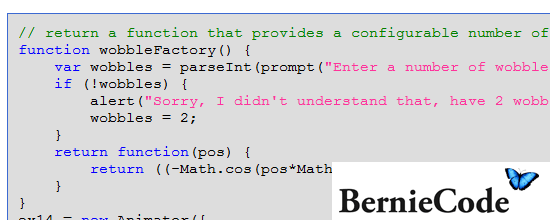 Animator.js is a class-based way for implementing JavaScript-based animation effects. Its design and development principles follow OOAD, which promotes maintainable and high-lifetime development of applications. Thus, it syntax is prototypal and object-oriented, reminiscent of MooTools and Prototype.js syntax. 7. Scriptio Scriptio is an open source framework for animation and presentational elements to enhance and enrich the learner's web experience. Scriptio is easy to learn and its terse syntax makes it great for fast prototyping. View the Scriptio Examples page where you will find eight cool demos that exemplify this framework's abilities. 8. Processing.js Processing.js is a fully featured framework for scripting images, animation, and interaction developed by jQuery library creator, John Resig. Processing.js is a JavaScript port of the open source Processing project. You should check out the Exhibits page to see full-production implementations of Processing.js. 9. Run For developers looking for a simple means of animating content, Run, a universal JavaScript animation framework, is the definitive way to go. Run emphasizes on ease-of-use as shown by its intuitive syntax and copious amounts of documentation. Run has also been tested on a wide array of web browsers, ensuring utmost cross-browser compatibility. Head over to Run's Example page to see the project in action. 10. Burst Engine Burst Engine is an open source vector animation framework for HTML 5's Canvas element. Burst provides smooth, slick, and complex animations that will surely leave a memorable impression upon viewers. To see Burst in action, check out the 3D Engine demo (and prepare to get very impressed).  Related Listings:
| ||||||||||||||||||||||||||||||||||||||||||||||||||||||||||||||||||||||||
| Posted: 22 Aug 2009 08:46 AM PDT I use a control set like the one shown below all the time on the administrative side of Content Management Systems that I build. Folks with a database background will recognize this as a many-to-many relationship control. This example is from an Edit User form. All the available Roles appear in a select list on the right and the Roles assigned to this particular User appear in a select list on the left. The buttons in the middle transfer selections back and forth between the two lists. As a bonus, double-clicking an item toggles an item. When the form is submitted, the items in the left select list are used to update the userRole relationship table in the database. Extensions I’ve developed several extensions to this control for different purposes. The most common extension is to allow ordering of the selected items. An image of the control is shown below for selecting Artists who contributed to a particular Artwork. In this case, the Artist names need to be ordered…. not necessarily alphabetically. I’ve also used this extension for images (select some thumbnails and set their order in a slideshow), filters in a report writer and so on. Another useful extension that I’ve added is a filter for the select list on the right. If the list of items is long (say, a list of countries), then it’s handy to have a filter-as-you-type feature to help you find what you’re looking for. Typing ‘Ca’ reduces the list to ‘Canada,’ ‘Cambodia,’ etc.  Yet another common extension for really long lists is an AJAX connection for the select list on the right. An AJAX control that loads the select list with employees by the first letter of their last name is a good example. These extensions can be combined – select a letter of the alphabet to load the list, then type ‘Sm’ in the filter to easily find all the ‘Smith’ and ‘Smythe’ employees. I’ve even connected mutiple sets of these controls in a cascade. Selecting items in control #1 triggers an AJAX request which repopulates the select list for control #2… and so forth. For example, an Exhibition may contain Artworks from several Artists. To create a slideshow for the Exhibition, we first select the Artists, then the Artworks by those Artists and, finally, some of the Images of those Artworks. Needless to say, the user interface starts to get very cluttered with buttons and the complexity of the control code rises dramatically with each extension. Building, customizing and debugging these controls takes up a lot of my time. Soooo… I’m bulding a Mootools Class to encapsulate much of the complexity… and make the user experience nicer too. The Plan I want a Mootools control that gets embedded in a form something like this:
Notes: * The 'items' are pretty straight forward key:value pairs, 'selected' determines which list teh item initially appears in * Items are un-selected by dragging them out of the left select list. * Items are sorted using drag-and-drop within the left select list (like a Mootools Sortable). * The values can be arbitrary HTML fragments to allow selection of thumbnail images, paragraphs of text or whatever. Allowing arbitrary HTML makes filtering a bit more complicated... that's what onFilter is for... I'm still thinking about how this might actually work. Here's where I am at so far (view the source to see the CSS, JS and HTML)... Try it out: * drag items from left to right and back again * double-click items * sort the 'selected' items * type in the filter * the blue arrows transfer all items Demo: http://www.saturnasoftware.com/index.php/home/M2MSelector Download: Java http://saturnasoftware.com/system/application/javascript/M2M.js CSS: http://saturnasoftware.com/system/application/css/M2M.css Source: http://www.saturnasoftware.com/index.php/home/M2MSelector Related Listings:
| ||||||||||||||||||||||||||||||||||||||||||||||||||||||||||||||||||||||||
| Posted: 22 Aug 2009 08:27 AM PDT The Expander Plugin is a simple little jQuery plugin to hide/collapse a portion of an element’s text and add a “read more” link so that the text can be viewed by the user if he or she wishes. By default, the expanded text is followed by a “re-collapse” link. Expanded text can also be re-collapsed at a specified time. Usage: Add HTML markup to your page for elements that you want to be expandable. For example:
Include the jQuery core file and the Expander plugin in the of your document. After these scripts are referenced, you can reference a custom script file to modify the expandable elements (preferred) or enter the script directly in the (shown below).
Demo: http://plugins.learningjquery.com/expander/demo/index.html Download: http://plugins.learningjquery.com/expander/jquery.expander.js Source: http://plugins.learningjquery.com/expander/index.html#getting-started Related Listings:
| ||||||||||||||||||||||||||||||||||||||||||||||||||||||||||||||||||||||||
| Posted: 22 Aug 2009 08:11 AM PDT It’s very small and offers high customizability, can be used for slideshows, site navigation, news tickers, etc. (These 3 exemplified in the demo). jQuery.ScrollShow is a very customizable slideshow, that relies on jQuery.ScrollTo, to slide(scroll) the items. Documentation is included in the source file. The plugin is still in beta stage, but will be soon (hopefully) stable. Feedback and bug reports are very welcome. Demo: http://demos.flesler.com/jquery/scrollShow/ Download: http://flesler.blogspot.com/search/label/jQuery.ScrollShow Source: http://flesler.blogspot.com/search/label/jQuery.ScrollShow Related Listings:
| ||||||||||||||||||||||||||||||||||||||||||||||||||||||||||||||||||||||||
| Posted: 22 Aug 2009 07:57 AM PDT This is an advanced multi-functional preloader, that has 4 modes integrated. Each mode suits a different, common situation. Modes and settings The modes are: * URL Preload a JS array of static URLs. o base: This string is prepended to the URLs. o ext: This string is appended to the end of each URL in the array. * Rollover Preload based on DOM images, slightly modifying their src. Can be used for rollovers, or for image-thumb. o find: String or regex that matches part of the srcs. o replace: Replacement to the matched part, to generate the alternate URL. * Placeholder Take regular images and set a placeholder image while they load. Show each original image when fully loaded. Allows sequential loading with a threshold. o placeholder: URL of the temporal image shown while loading. o notFound: Optional image to show if a given image failed to load. * Link Preload images that appear in the href matched links. There’s also a threshold setting, that determines how many images are preloaded simultaneously, it is 2 by default. Placeholder+Rollover Mode Since 1.0.6, you can combine these 2 modes, for another common use. If you have many images in a page, you might want to load a lighter version of them first, and then sequentially load and replace the real images. To achieve this, use the light versions in the html, then preload the heavy ones as if they were rollover images(find+replace). If you set ‘placeholder’ to true, each preloaded image will be set instead once it loads. Callbacks The hash of settings can also contain callback functions for 3 important moments of the preloading proccess. They receive a hash of data, with information about the related image and the overall process. The callbacks are: * onRequest Called when requesting a new image. * onComplete Called when a request is complete. * onFinish Called when all images are fully preloaded. Hash of data for the callbacks The first argument of the callbacks will be a hash. It contains the following information: * loaded how many images were preloaded successfully. * failed how many images failed the preloading. * next 0-based index of the next image to preload. * index 0-based index of the current image. * done amount of preloaded images ( loaded + failed ). * found whether the last image could be preloaded or not. * total amount of images to preload overall. * image URL of the related image. * original The original source related to this image. Troubleshooting IE throws a “stack overflow” error. I worked around this limitation of IE on 1.0.6. If you still get this alert, you’ll need to modify $.preload.gap, which is 14 by default. Reduce this number by 1 until it works. You need to exit the site each time, to be sure it works. Try not to touch the original code, modify it from the outside. I have many images and they seem to get un-cached Try setting the option ‘enforceCache’ to true (+1.0.8). Demo: http://demos.flesler.com/jquery/preload/ Download: http://flesler-plugins.googlecode.com/files/jquery.preload-1.0.8.zip Source: http://plugins.jquery.com/project/Preload Related Listings:
|
| You are subscribed to email updates from Ajax Updates To stop receiving these emails, you may unsubscribe now. | Email delivery powered by Google |
| Google Inc., 20 West Kinzie, Chicago IL USA 60610 | |


0 comments:
Post a Comment
Note: Only a member of this blog may post a comment.